Clip every new YouTube video without opening Katto
Paste your YouTube channel once. Each time it publishes a new video, Katto cuts it into vertical clips on its own. You pick the clips you like, and your posting queue publishes them at the times you chose.
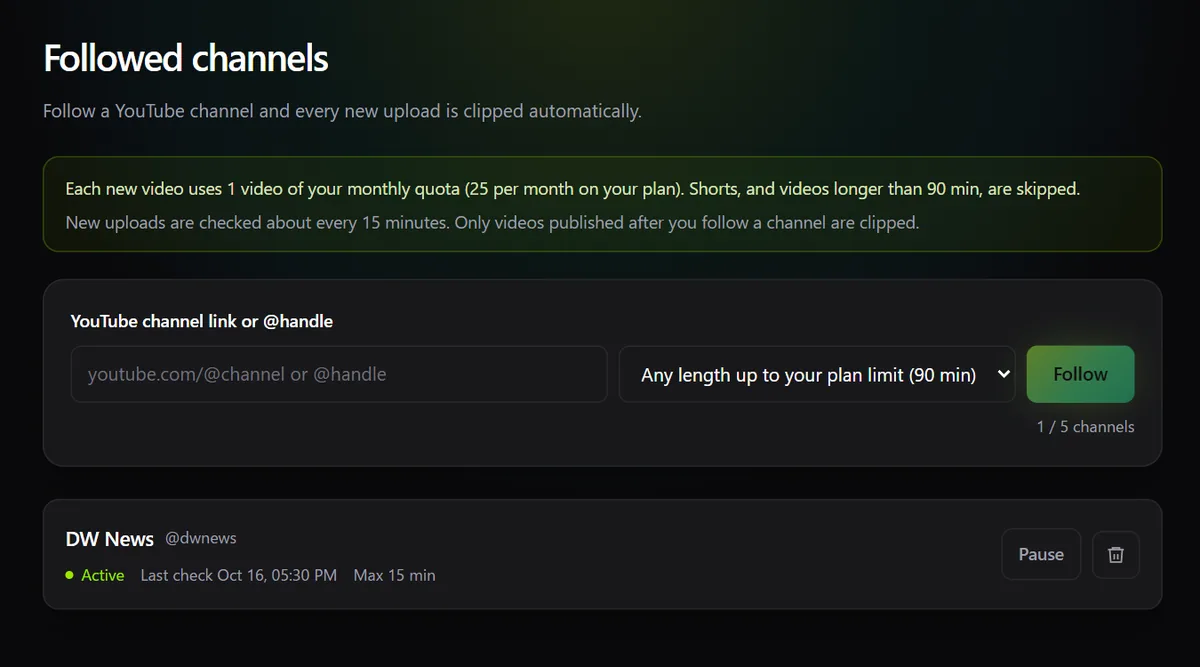
Followed channels: new video in, clips out
Included in paid plans. Add up to 5 channels: your own, or the ones you clip for clients.
Katto only clips videos published after you start following. It never goes back through the channel's archive.
Shorts and anything under 60 seconds are ignored. A live stream or a premiere waits until it has finished.
Skip videos longer than 15, 30, 45, 60 or 90 minutes, within your plan's limit, so a 3-hour stream doesn't use your allowance.
Each new video clipped uses 1 video of your monthly allowance. When the allowance runs out, nothing starts; the video is picked up once it's back.
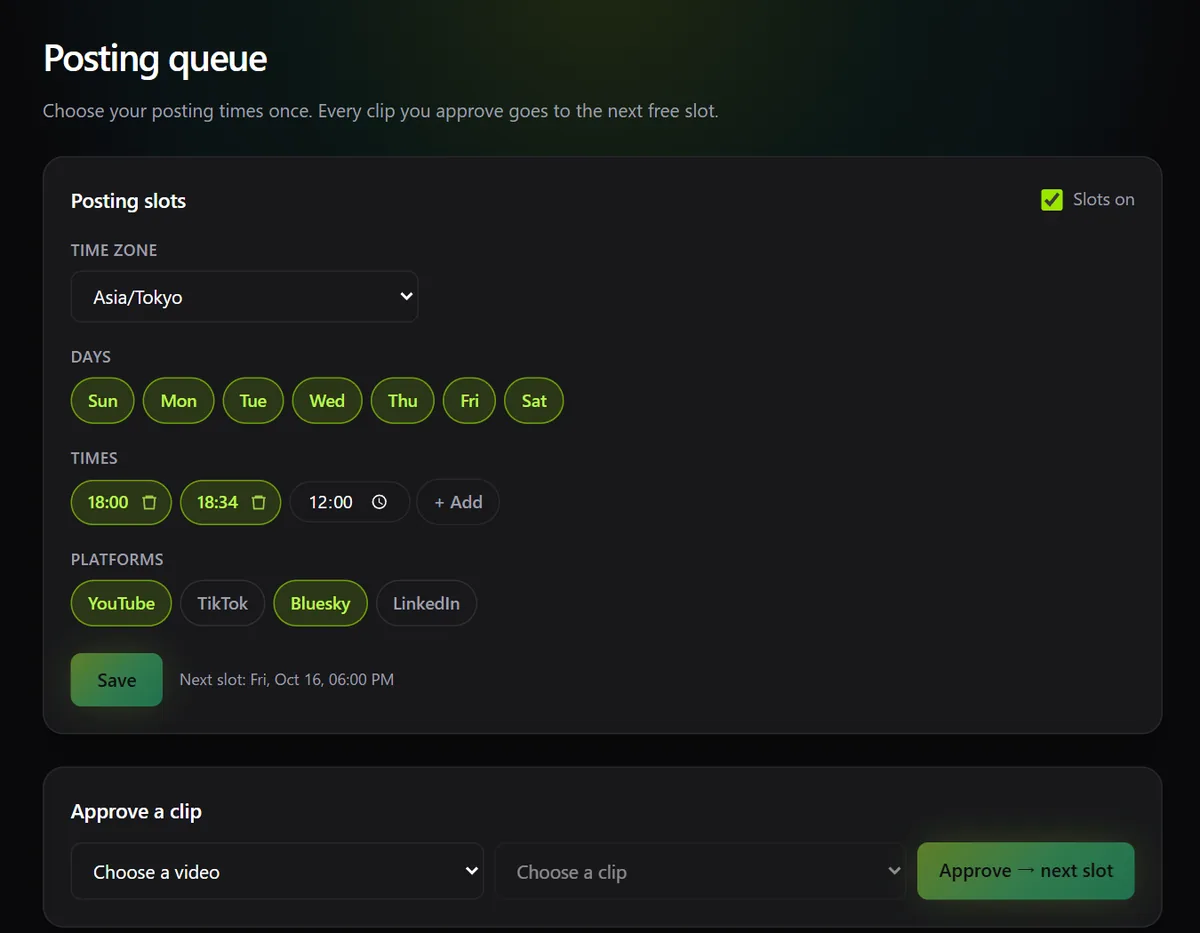
The posting queue: approve once, it posts on time
A Creator feature. Set your slots once, then approving a clip is the only thing left to do.
Pick the days, up to 12 times a day, and the timezone. A 6 pm slot stays at 6 pm when the clocks change.
Each clip you approve goes into the next free slot on every platform you chose. A slot already holding a post on that platform is skipped.
Approve straight from a job's clips, or pick a clip from the queue page. The queue lists what's coming up and lets you remove a post.
Slots publish to the social accounts you've connected in Katto. TikTok posts go out as private for now, while TikTok's audit of the app is pending.
What runs on its own, and what stays with you
| Step | Who does it |
|---|---|
| Spotting a new video on the channel | Katto |
| Cutting, reframing, captioning and ranking the clips | Katto |
| Choosing which clips go out | You |
| Placing them in your next free slots | Katto |
| Publishing at the scheduled time | Katto |
When you'd rather schedule by hand
The queue fills slots for you. If you want to pick an exact date for one clip, or move posts around on a calendar, the scheduler on the publish page does that, and both share the same connected accounts.
Questions
Every paid plan (Solo and Creator) with an active subscription. The posting queue is part of Creator.
No. Only videos published after you start following are clipped.
Up to 5.
No. Each new video clipped uses 1 video of your monthly allowance, exactly like pasting the link yourself.
Yes. Nothing is queued until you approve it, and you can remove an upcoming post from the queue page.
Follow your channel and let the clips come to you
Start free, then turn on followed channels and the posting queue from your dashboard.