The transcript of your video, in the format you need
Katto transcribes every video it clips, and the text is yours to take away: an SRT file for each clip, the edited text of a clip as plain text, or the full transcript of the source video with timestamps through the API. This page is about getting the words out. If you want captions burned into the video, that is a different page.
The language of your recording is detected, or you can set it before processing.
The other languages are timed sentence by sentence. Both give correct text; only the timing precision differs.
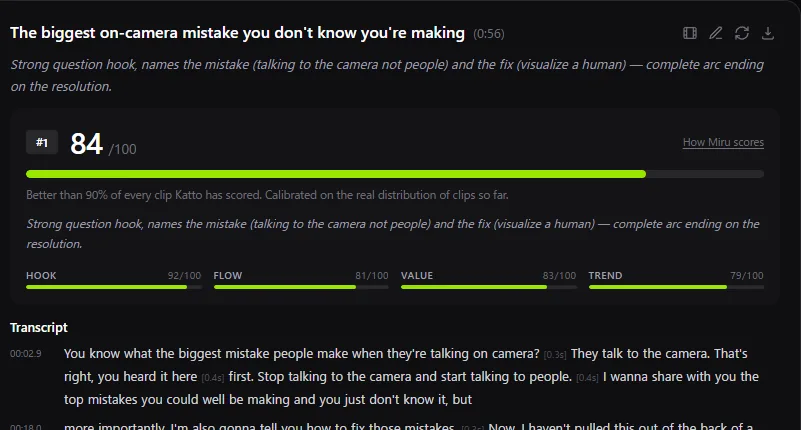
Three ways to get the text
| Format | Where | What it contains |
|---|---|---|
| SRT | Results page, one file per clip | Subtitle lines with start and end times, ready for YouTube, a video editor or a player. |
| Plain text | Editor, per clip | The clip's words after your corrections, to copy or download as a .txt file. |
| JSON | API (GET /v1/jobs/{id}/transcript) and MCP | The whole source video: language and timestamped segments, for your own tools or an AI agent. |
Names spelled right
Transcription fails first on proper nouns: a guest's name, a product, a place. A correction pass runs over them before you see the text, and anything left is editable in the clip's transcript. Exports use the corrected text.
What it is not
Katto is not a standalone transcription service. The transcript comes with a clipping job, so a video counts once against your monthly quota, and you get the clips as well as the text. If all you need is a transcript of hundreds of hours of audio, a dedicated transcription tool will suit you better.
Questions
Through the API and the MCP server, yes: the full source transcript with timestamps, as JSON. In the app, the text is exported clip by clip, as SRT or plain text.
In 41 languages, every word gets its own timestamp. In the other 58, timing is per sentence. The text is accurate in all 99.
The transcript is part of clipping a video, which counts as one video of your monthly quota. There is no separate charge for the text.
Translating a clip's subtitles into another language is part of the Creator plan.
Get the words out of your next video
Paste a link or upload a file, and download the transcript alongside your clips.