How to find outlier YouTube videos (and turn the best ones into clips)
Spot YouTube videos doing far better than their channel usually does, check a video's metadata against an 8-point checklist, and test a keyword. Free tools in Katto, with their limits.
October 17, 2026
An outlier is a video that does far better than its channel usually does. A channel that averages 20,000 views per video and suddenly gets 400,000 has found something: a topic, a title, a format. It's the most useful signal on YouTube, and the hardest one to see from the homepage.
We added a Trends page to Katto to make it visible. It runs on YouTube's public data and it's built around one idea: find what's working, check why, then clip it.
1. Find the outliers
The Trends tab loads the 25 most popular videos in a country, for the category you pick: all, people and blogs, entertainment, education, science and tech, gaming, sports, news, comedy or music. For each video, Katto shows its views, its views per hour and an outlier score: the video's views divided by the channel's average views per video.
The list is sorted by that score, not by raw views. A 12× video from a mid-sized channel comes before a 1.1× video from a giant, because it tells you more about what people want right now.
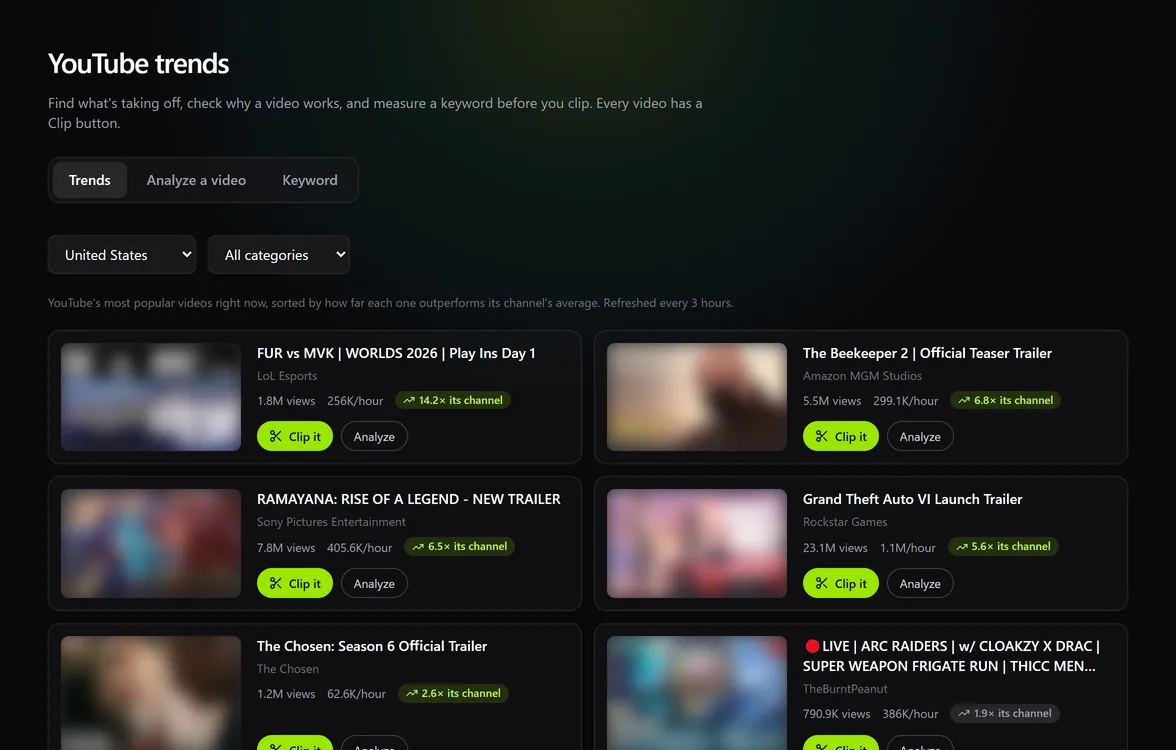
One honest caveat: the channel average is a lifetime average (total views divided by the number of videos). A channel with one huge old hit has a high average, so its new videos look weaker than they are. Treat the score as a pointer, not a verdict.
2. Check a video's metadata
Paste any YouTube link in the Analyze a video tab. You get the same outlier score and views per hour, the full tag list, and a metadata checklist out of 100:
- Title between 30 and 70 characters (20 points)
- One of the tags appears in the title (15)
- Description of at least 200 characters (15)
- A tag appears in the first 200 characters of the description (10)
- Between 5 and 30 tags (10)
- Chapters in the description (10)
- At least one hashtag (10)
- Captions available (10)
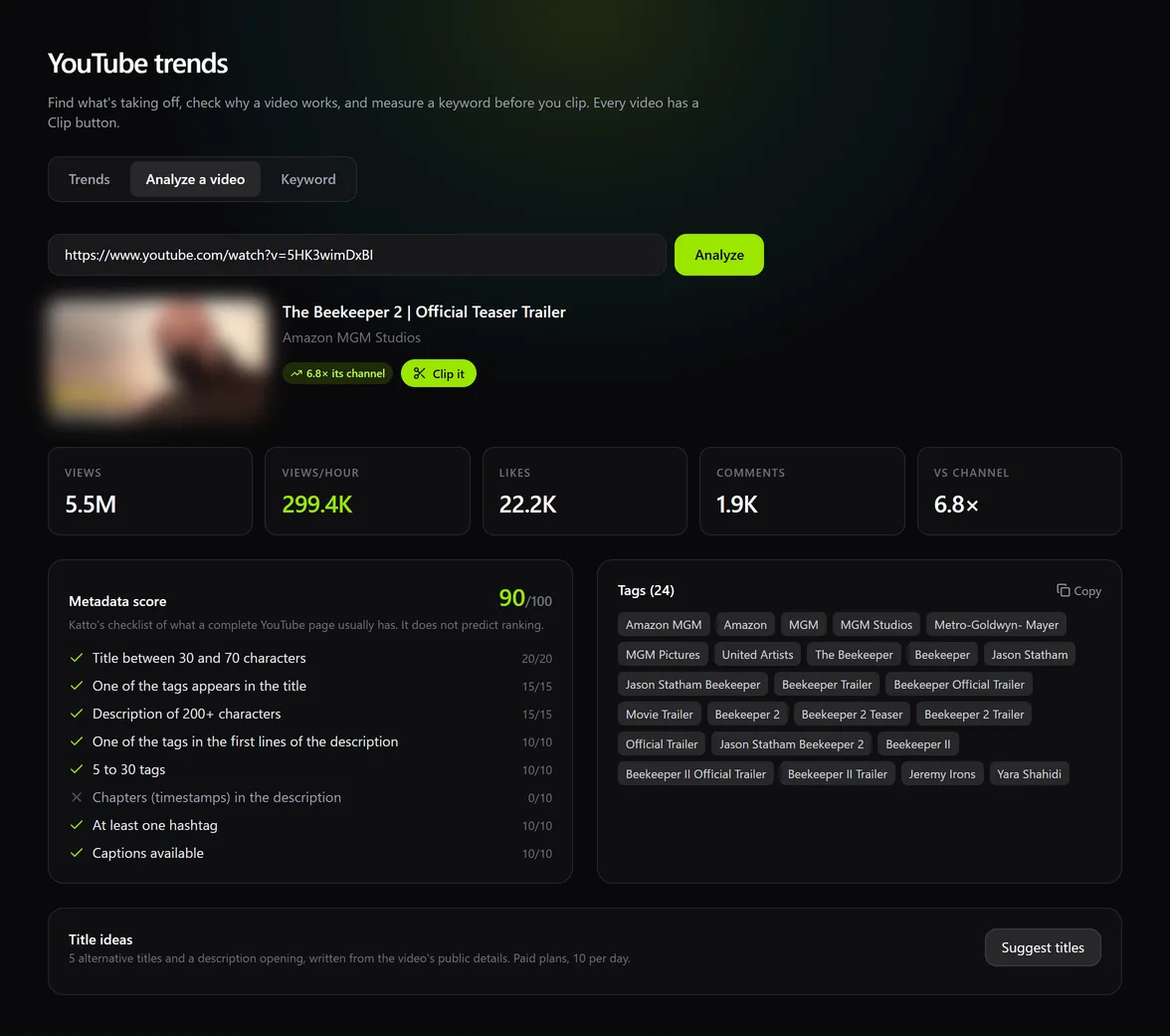
To be clear about what this is: a completeness check, not a ranking prediction. A video can score 100 and get no views, and plenty of hits score 40. It's useful for spotting what you forgot on your own uploads, or what another channel took the time to fill in.
3. Test a keyword before you film
The Keyword tab looks at videos published in the last 30 days that rank for a search, and gives you three numbers: their median views per day, the median subscriber count of their channels, and the share that comes from channels under 10,000 subscribers. The subscriber median becomes a rough level: low under 20,000, medium under 300,000, high above.
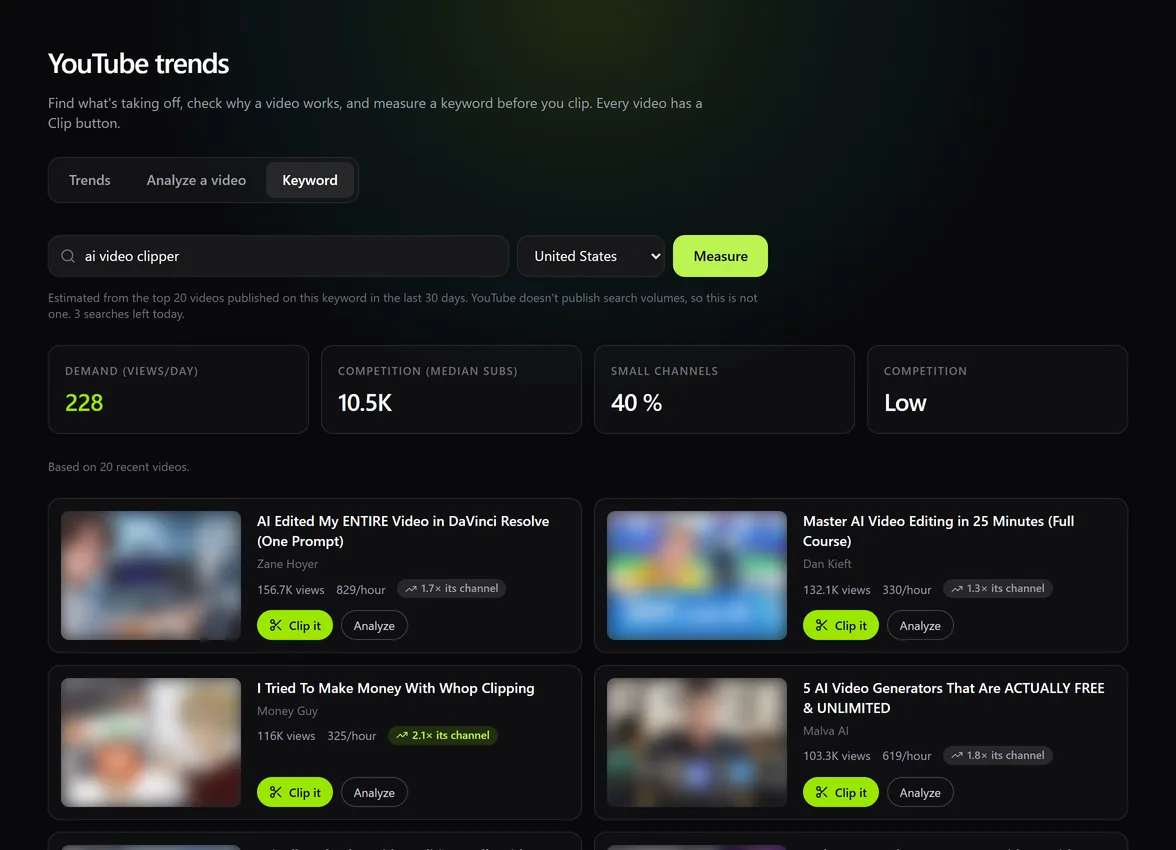
If small channels show up often and the views per day are decent, there's room. If every result comes from a channel with millions of subscribers, pick a narrower angle.
Keyword searches are the expensive part of YouTube's API, so they're capped: 2 per day on the free plan, 5 per day on paid plans, and 80 per day for all of Katto combined. If the shared limit runs out, it resets the next day. Results are kept for 24 hours, so searching the same keyword again doesn't use a search.
4. Get title ideas
On paid plans, Katto suggests 5 alternative titles and a better opening for the description of any video, based on its current title, tags and description. Each title takes a different angle (curiosity, outcome, number, question, contrarian), stays truthful to the video and avoids clickbait it can't deliver. You get 10 suggestions per day per account.
5. Clip what works
Every video card has a Clip it button. It opens Katto with that video ready, so an outlier becomes vertical clips: ranked, captioned and reframed. If it's your own video that's taking off, that's the moment to post the short versions.
Only clip videos you own or have permission to use. Trends is for research; clipping someone else's work needs their agreement.
What this isn't
It isn't a full keyword research suite. We don't estimate search volumes, there's no overlay on YouTube itself, and the data is what YouTube's public API returns. If you need deep keyword research, dedicated tools such as vidIQ or TubeBuddy are built for that. Katto's tools serve one workflow: spot what's working, check it, clip it.
FAQ
Is it free?
Trends, video analysis and 2 keyword searches a day are free with a Katto account. Title suggestions and 5 keyword searches a day come with paid plans.
Where does the data come from?
From the YouTube Data API: public view, like and comment counts, channel totals and video metadata. Trends refresh every 3 hours, a video analysis every hour.
Does a high metadata score mean more views?
No. It means the title, description, tags, chapters and captions are properly filled in. It doesn't predict ranking.
Try it: open Trends in Katto (free account), or read the overview on the YouTube tools page.
Related articles
Ready to turn your videos into viral clips?
Katto automatically clips, captions, and reframes your long-form videos into short-form content.
Try Katto for free →